Best note taking apps कौनसी हैं? यह powerful guide आपको 2026 की top apps की पूरी जानकारी देगी — students, professionals और creators सभी के लिए। आज ही सही app चुनें और smarter बनें!, Best Note Taking Apps 2026 — Powerful और Smart Apps जो आपकी Life बदल दें | Hindi Guide
Introduction
“जो लिखा जाता है, वो याद रहता है — और जो smart app पर लिखा जाता है, वो हमेशा आपके साथ रहता है।”
आपने कभी सोचा है कि एक brilliant idea मन में आई और आप उसे लिखना भूल गए — और वो idea हमेशा के लिए खो गई? या exam के notes इतने बिखरे हुए थे कि revision करना ही impossible लगा? इन सब problems का एक powerful और smart solution है — सही note taking app।
आज के digital युग में pen और paper की जगह powerful apps ने ले ली है। ये apps सिर्फ notes लेने का काम नहीं करतीं — ये आपकी पूरी thinking को organize करती हैं, ideas को safe रखती हैं और आपकी productivity को एक नई ऊँचाई पर ले जाती हैं।
इस blog में हम आपको 2025 की best note taking apps के बारे में बताएंगे — हर app की खूबियाँ, कमियाँ और यह कि कौनसी app आपके लिए सबसे powerful choice है।
कुछ ज़रूरी आँकड़े पहले जान लो
- ✦ Digital notes लेने वाले students 34% बेहतर exam results देते हैं
- ✦ Evernote के दुनिया भर में 225 million+ users हैं
- ✦ Notion की growth 2020 से 2025 के बीच 400% रही
- ✦ Organized notes रखने वाले professionals 50% कम time waste करते हैं
Note Taking App क्यों ज़रूरी है? — Powerful कारण जो आपको आज ही Switch करवा देंगे
बहुत से लोग सोचते हैं — “मैं तो copy-pen से काम चला लेता हूँ, app की क्या ज़रूरत?” लेकिन एक powerful note taking app आपको वो सब देती है जो कोई copy नहीं दे सकती:
- ✦ आपके notes हमेशा safe और backup रहते हैं
- ✦ Search करके कोई भी note seconds में मिल जाता है
- ✦ Notes को organize, tag और categorize कर सकते हो
- ✦ Photos, audio और drawings भी add कर सकते हो
- ✦ किसी के साथ भी instantly share कर सकते हो
- ✦ हर device पर sync होता है — phone पर लिखा laptop पर दिखे
1. Notion — सबसे Powerful और All-in-One Brilliant App
Rating: ⭐⭐⭐⭐⭐ Price: Free | Paid plans $8/month से
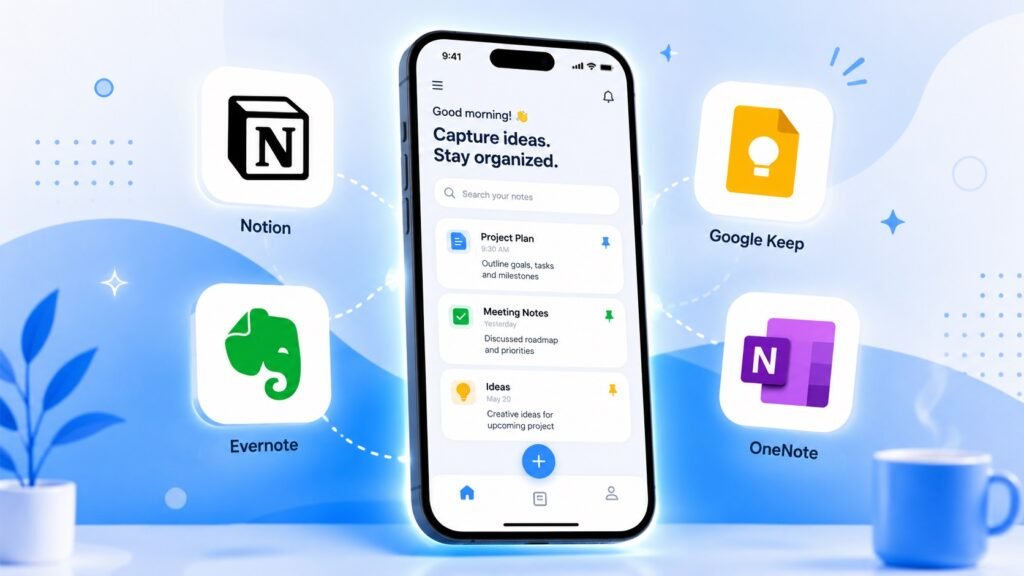
Notion आज दुनिया की सबसे popular और powerful note taking app है। यह सिर्फ notes लेने की app नहीं — यह एक complete second brain है। Notes, to-do lists, databases, project management — सब कुछ एक ही जगह।
Notion की Powerful खूबियाँ:✦ Blocks-based editor — हर चीज़ drag और drop करो ✦ Templates की भरपूर library — blank page से शुरू करने की ज़रूरत नहीं ✦ Database feature — अपना personal CRM, habit tracker, book list सब बनाओ ✦ Team collaboration बेहद powerful और smooth ✦ Web clipper से internet से directly content save करो
किसके लिए Best है: Students जो assignments track करना चाहते हैं, professionals जो projects manage करते हैं, और creators जो अपने ideas organize करना चाहते हैं।
एक छोटी कमी: पहली बार use करने पर थोड़ा overwhelming लग सकता है — लेकिन एक बार सीख लिया तो यह आपकी life की सबसे powerful tool बन जाएगी।
2. Evernote — Notes का पुराना और भरोसेमंद Powerful साथी
Rating: ⭐⭐⭐⭐ Price: Free | Plus plan $7.99/month से
Evernote note taking apps की दुनिया का सबसे पुराना और trusted नाम है। 2008 में launch हुई यह app आज भी लाखों लोगों की first choice है। इसका powerful search feature इसे बाकी सबसे अलग बनाता है।
Evernote की Powerful खूबियाँ: ✦ Handwritten notes और PDFs के अंदर भी search होती है ✦ Web Clipper — किसी भी webpage को directly save करो ✦ Document scanning feature — physical documents को digital करो ✦ Tags और notebooks से notes perfectly organize होते हैं ✦ Calendar integration से meetings के notes automatically link होते हैं
किसके लिए Best है: Professionals और researchers जो बहुत ज़्यादा information collect और organize करते हैं।
एक छोटी कमी: Free plan में सिर्फ 2 devices पर sync होता है।
3. Google Keep — Simple, Fast और Surprisingly Powerful
Rating: ⭐⭐⭐⭐ Price: बिल्कुल Free
Google Keep वो app है जो दिखने में simple है लेकिन है बेहद powerful। अगर आपको quick notes, reminders और checklists चाहिए — तो Google Keep आपकी सबसे bright choice है।
Google Keep की Powerful खूबियाँ: ✦ Color-coded notes — हर note को अलग रंग दो, organization आसान हो जाए ✦ Voice notes — बोलो और note बन जाए ✦ Location-based reminders — किसी जगह पहुँचते ही reminder मिले ✦ Google Docs में directly notes import करो ✦ Completely free — कोई hidden cost नहीं
किसके लिए Best है: जो लोग simple और fast note taking चाहते हैं, खासकर Google ecosystem use करने वाले।
एक छोटी कमी: Complex note organization के लिए यह काफी नहीं — बड़े projects के लिए Notion या Evernote बेहतर हैं।
4. Microsoft OneNote — Office Users के लिए Powerful और Free Solution
Rating: ⭐⭐⭐⭐ Price: बिल्कुल Free (Microsoft account के साथ)
Microsoft OneNote एक digital notebook की तरह है जहाँ आप literally कहीं भी लिख सकते हो — जैसे असली notebook पर। यह Microsoft Office के साथ perfectly integrate होती है।
OneNote की Powerful खूबियाँ: ✦ Free-form canvas — page पर कहीं भी लिखो, draw करो, paste करो ✦ Handwriting to text conversion — हाथ से लिखो, text बन जाए ✦ Microsoft Teams और Word के साथ seamless integration ✦ Math equations automatically solve होती हैं — students के लिए powerful feature ✦ Unlimited storage OneDrive के साथ
किसके लिए Best है: Students जो math और science notes लेते हैं, और professionals जो Microsoft Office ecosystem use करते हैं।
एक छोटी कमी: Interface थोड़ा complex है और non-Microsoft users को setup में time लग सकता है।
5. Obsidian — Deep Thinkers और Researchers के लिए Powerful Brain Tool
Rating: ⭐⭐⭐⭐⭐ Price: Free | Sync के लिए $4/month
Obsidian एक unique और बेहद powerful app है जो linked thinking के concept पर काम करती है। आपके notes आपस में web की तरह connect होते हैं — ठीक वैसे जैसे आपका brain काम करता है।
Obsidian की Powerful खूबियाँ: ✦ Graph view — आपके सभी notes का visual map देखो ✦ Bidirectional linking — एक note दूसरे से connect करो ✦ Data आपके device पर रहता है — complete privacy ✦ 1000+ plugins — app को अपनी ज़रूरत के हिसाब से customize करो ✦ Markdown support — writers और developers की favorite
किसके लिए Best है: Writers, researchers, और वो लोग जो deep और connected thinking करते हैं।
एक छोटी कमी: Beginners के लिए learning curve थोड़ा steep है।
6. Apple Notes — iPhone Users के लिए Simple और Surprisingly Powerful
Rating: ⭐⭐⭐⭐ Price: बिल्कुल Free (Apple devices पर)
अगर आप iPhone या Mac use करते हैं तो Apple Notes पहले से ही आपके device पर है — और यह उससे कहीं ज़्यादा powerful है जितना लोग सोचते हैं।
Apple Notes की Powerful खूबियाँ: ✦ Quick Note feature — कोई भी screen से instantly note लो ✦ Apple Pencil support — iPad पर handwriting का powerful experience ✦ Scanned documents, photos और drawings सब एक जगह ✦ Collaboration — दूसरों के साथ notes share और edit करो ✦ iCloud sync — सभी Apple devices पर instant sync
किसके लिए Best है: Apple ecosystem (iPhone + iPad + Mac) use करने वाले लोगों के लिए सबसे seamless और powerful choice।
एक छोटी कमी: Android या Windows users इसे use नहीं कर सकते।
7. Notability — Students के लिए सबसे Powerful Handwriting App
Rating: ⭐⭐⭐⭐⭐ Price: $11.99/year
Notability खासकर students के लिए बनी है जो handwritten notes लेना पसंद करते हैं लेकिन digital convenience भी चाहते हैं। यह iPad पर सबसे powerful note taking experience देती है।
Notability की Powerful खूबियाँ: ✦ Audio recording + notes sync — lecture record होता है और notes उसके साथ sync होते हैं ✦ PDFs पर directly annotate करो — textbooks पर notes लिखो ✦ Math conversion — handwritten equations को digital text में convert करो ✦ Beautiful और clean interface ✦ Multi-note view — एक साथ दो notes देखो
किसके लिए Best है: iPad use करने वाले students जो lectures record करते हुए notes लेना चाहते हैं।
एक छोटी कमी: सिर्फ Apple devices पर available है।
Best Note Taking App कौनसी चुनें? — आपकी ज़रूरत के हिसाब से Powerful Guide
| आप कौन हैं | Best App | क्यों |
|---|---|---|
| Student (General) | Notion या OneNote | Free, powerful, organized |
| Student (Handwriting) | Notability या OneNote | Best writing experience |
| Professional | Evernote या Notion | Heavy-duty organization |
| Quick Notes लेने वाले | Google Keep | Fast, simple, free |
| Apple User | Apple Notes या Notability | Seamless ecosystem |
| Writer / Researcher | Obsidian | Connected thinking |
| Team / Collaboration | Notion | Best team features |
| Beginner | Google Keep | सबसे आसान शुरुआत |
Note Taking को Powerfully Effective बनाने के Smart Tips
✦ एक ही app चुनो और consistently use करो — हर हफ्ते app बदलना productive नहीं ✦ Tags और folders ज़रूर बनाओ — notes organize रहेंगे तो ढूंढना आसान होगा ✦ Daily review की आदत डालो — रोज़ 5 minute अपने notes देखो ✦ Templates बनाओ — हर meeting, lecture या idea के लिए एक standard format ✦ Audio notes try करो — जब लिखने का time न हो तब बोलकर note करो ✦ Notes लेते वक्त अपने words use करो — copy-paste नहीं, अपनी भाषा में लिखो
Conclusion — सही Note Taking App चुनो और अपनी Productivity को Powerfully Bright बनाओ
Note taking apps सिर्फ digital diary नहीं हैं — ये आपके second brain हैं। एक powerful note taking app आपकी हर idea को safe रखती है, आपकी learning को accelerate करती है और आपको ज़्यादा organized और confident बनाती है।
अगर आप beginner हैं तो Google Keep से शुरू करें। अगर आप student हैं तो Notion या OneNote try करें। और अगर आप एक serious professional या researcher हैं तो Evernote या Obsidian आपकी life बदल देंगी।
आज ही एक app download करें, अपना पहला note लिखें और उस powerful feeling को महसूस करें जब आपके सभी ideas एक जगह, हमेशा safe और हमेशा accessible हों। आपका brilliant mind इससे भी ज़्यादा bright हो सकता है — बस एक सही tool की ज़रूरत है।
आप कौनसी note taking app use करते हैं? नीचे comment में ज़रूर बताएं — आपकी recommendation दूसरों की ज़िंदगी smarter बना सकती है!
FAQs — अक्सर पूछे जाने वाले सवाल
Students के लिए सबसे best note taking app कौनसी है? Students के लिए Notion और Microsoft OneNote सबसे powerful choices हैं। Notion में project management और organization बेहतरीन है, जबकि OneNote में math equations और free-form writing का experience unmatched है। दोनों free हैं — try करके देखो कौनसी आपको ज़्यादा पसंद आती है।
क्या free note taking apps काफी हैं? बिल्कुल! Google Keep, Microsoft OneNote और Notion का free plan ज़्यादातर लोगों के लिए काफी है। Paid plans तब ज़रूरी होते हैं जब आपको extra storage, advanced features या team collaboration चाहिए हो।
Notion और Evernote में से कौनसी better है? यह आपकी ज़रूरत पर depend करता है। Notion ज़्यादा versatile और powerful है — notes के साथ project management भी। Evernote का search feature और document scanning ज़्यादा advanced है। Professionals के लिए Evernote, और students व creators के लिए Notion better है।
Handwritten notes के लिए best app कौनसी है? iPad users के लिए Notability और GoodNotes सबसे powerful handwriting apps हैं। Android users के लिए Samsung Notes और Squid अच्छे options हैं। Microsoft OneNote भी handwriting के लिए काफी powerful है।
क्या note taking app offline काम करती है? हाँ! Notion, Evernote, OneNote और Obsidian सभी offline mode में काम करते हैं। Internet आने पर automatically sync हो जाते हैं। Obsidian तो पूरी तरह offline भी perfectly काम करता है।
एक beginner के लिए सबसे आसान app कौनसी है? Google Keep beginners के लिए सबसे simple और powerful शुरुआत है। Interface बेहद clean है, setup में 2 minutes लगते हैं और यह completely free है। एक बार comfortable हो जाओ तो Notion या Evernote की तरफ move कर सकते हो।


